Buy Tickets
Complete the following steps to buy tickets.
-
Select Offer
After you search for an event and select Buy Now, the Select Offer screen opens.
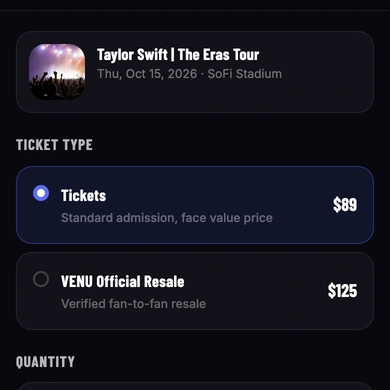
Under Ticket Type, select Tickets to purchase at face value, or select VENU Official Resale to buy verified fan-to-fan resale tickets. Use the Quantity selector to choose how many tickets you want. Under Delivery Method, select Mobile to receive tickets in the VENU app, or select Print-at-Home to receive a PDF by email.
Select Continue.
-
Enter Payment Information
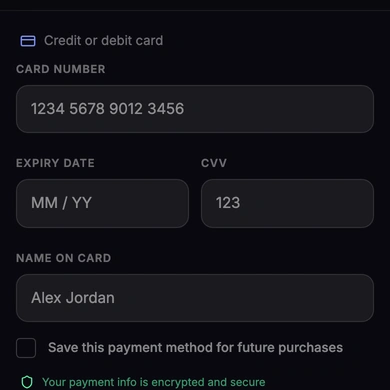
Enter your credit or debit card number, expiry date, CVV, and the name on the card. Optionally, select the checkbox to save this payment method for future purchases.
Select Continue.
-
Complete Purchase
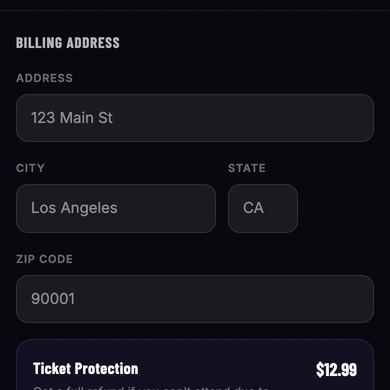
Enter your billing address. Optionally, select Add next to Ticket Protection to purchase coverage that provides a full refund if you cannot attend due to illness, injury, or other covered reasons.
Review the Order Summary, which lists your ticket quantities, prices, service fee, and total. If you agree to VENU’s Terms of Use and confirm the order details are correct, select the checkbox and then select Confirm Purchase.